Inventory & Availability Guide
Keep quantity and availability aligned with the inventory you can really fulfill so renters do not request items you cannot provide.
Why this matters
Inaccurate inventory creates one of the fastest ways to lose renter trust: a listing appears viable, then the vendor cannot supply the quantity or date.
Step by step
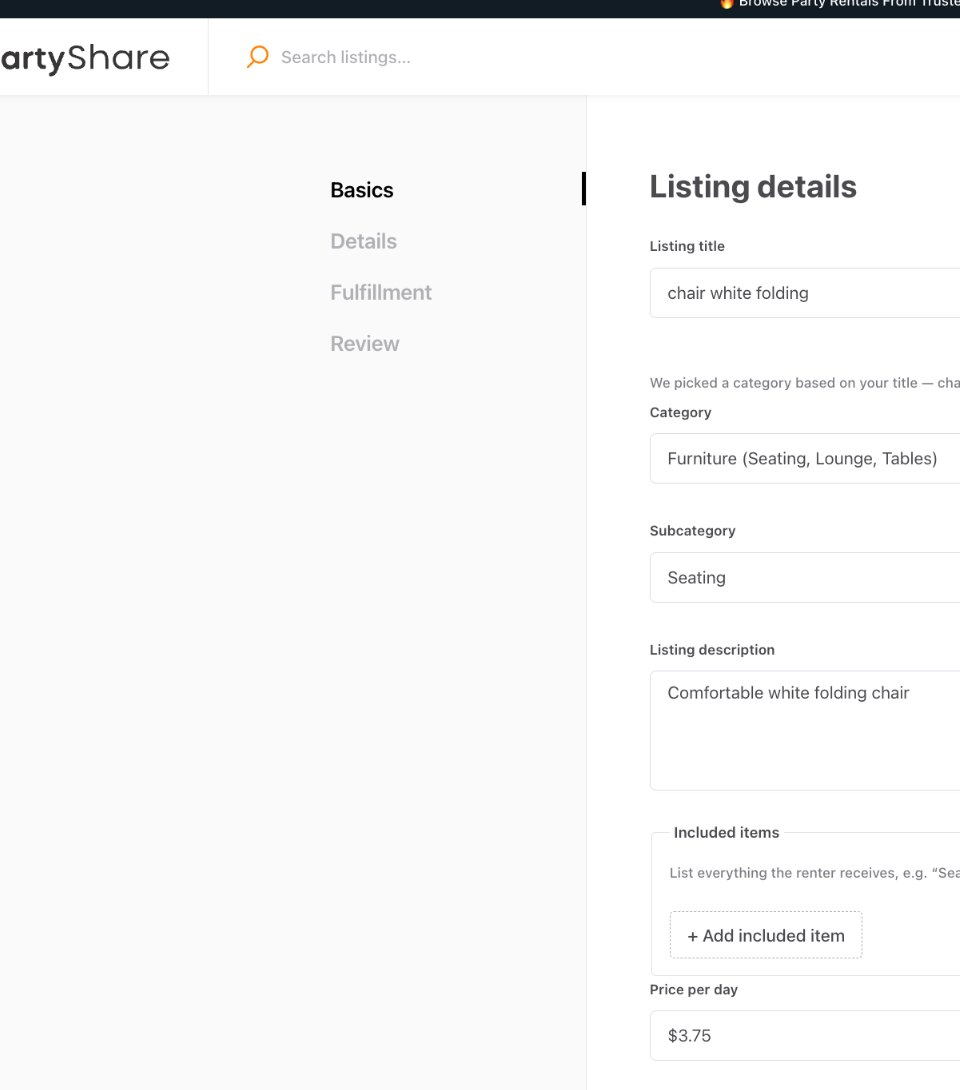
Enter real quantity
Use the quantity field for units you can actually provide, not the theoretical maximum you have ever owned.
Separate unavailable stock operationally
Do not count units that are broken, under maintenance, committed elsewhere, or otherwise not rentable.
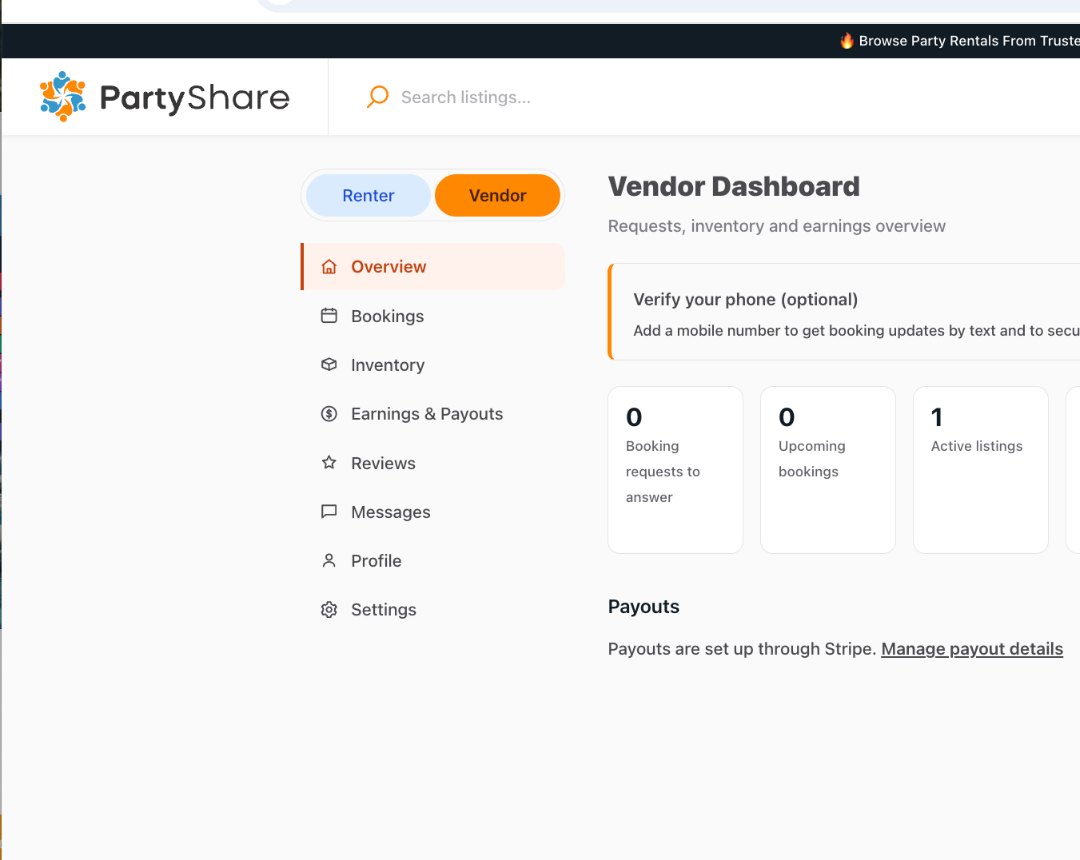
Use Inventory regularly
Review Active listings and Drafts from the Vendor Dashboard. Update listings whenever stock, condition, pricing, or fulfillment changes.
Keep date availability current
Use any availability or blackout controls currently provided in your account to reflect bookings and dates you cannot fulfill.
Build a refresh habit
During active rental periods, review availability frequently and immediately after a booking, maintenance issue, loss, or major stock change.
Respond to conflicts before accepting
If a renter requests more than you can fulfill, resolve the inventory reality before accepting or promising the order.
Correct vs. avoid
Good approach
Quantity reflects rentable units today, and unavailable dates or units are updated before new renter requests are accepted.
Avoid
Quantity reflects total historical stock even though some units are damaged, booked elsewhere, or unavailable for the requested date.
Completion checklist
- Listing quantity matches rentable stock.
- Unavailable or maintenance units are not counted as available.
- I know where Inventory is on the dashboard.
- Active listings have current price and fulfillment information.
- Any account availability controls are up to date.
- I refresh availability after bookings or stock changes.
Common mistakes
- Treating inventory as a one-time setup task.
- Leaving lost or damaged units in the quantity total.
- Publishing duplicates that represent the same physical stock without a clear inventory model.
- Failing to account for maintenance or turnaround time.
- Waiting until a renter requests the item to discover the stock is unavailable.
Frequently asked questions
Where do I manage listings?
Use Inventory from the Vendor Dashboard.
The complete availability model
Accurate availability is more than a single quantity number. Your operating record should account for:
- Total stock you physically own and can rent.
- Variant-specific stock when options are tracked separately.
- Pending or accepted booking commitments.
- Blackout dates.
- Lead time needed before a rental can be prepared.
- Preparation buffer between orders.
- Return/inspection buffer before the same inventory can be promised again.
- Maintenance, repair, cleaning, or quarantine holds.
Reflect this reality in the PartyShare quantity/availability controls that exist in the current beta. Do not treat stock as available merely because it is physically in your warehouse.
Recommended Vendor Academy freshness check
This is an operating standard from the launch blueprint, not necessarily a visible badge in the current product:
| Status | Last availability review | Action |
|---|---|---|
| Green | Within 7 days | Good operating cadence. |
| Yellow | 8-21 days | Review inventory soon. |
| Red | More than 21 days | Refresh before relying on the listing for new demand. |
| Restricted | More than 30 days for higher-risk categories | PartyShare may choose to restrict exposure after policy/product review. |
The exact intervals may change as PartyShare learns real vendor operating habits. The principle is stable: availability should be reviewed often enough that renters are not requesting inventory you cannot supply.
Completion checklist
- Physical stock counted.
- Variant-specific stock tracked where necessary.
- Pending/accepted commitments reflected.
- Blackout dates current.
- Lead time is realistic.
- Preparation buffer protected.
- Return/inspection buffer protected.
- Maintenance holds removed from availability.
- PartyShare quantity/availability reflects fulfillable stock.
- Availability reviewed on the current cadence.