Messages & Renter Response Guide
Respond to renter questions clearly and keep booking-specific communication organized inside PartyShare.
Why this matters
Fast, accurate communication helps renters move forward while keeping a record of what was asked and answered.
Step by step
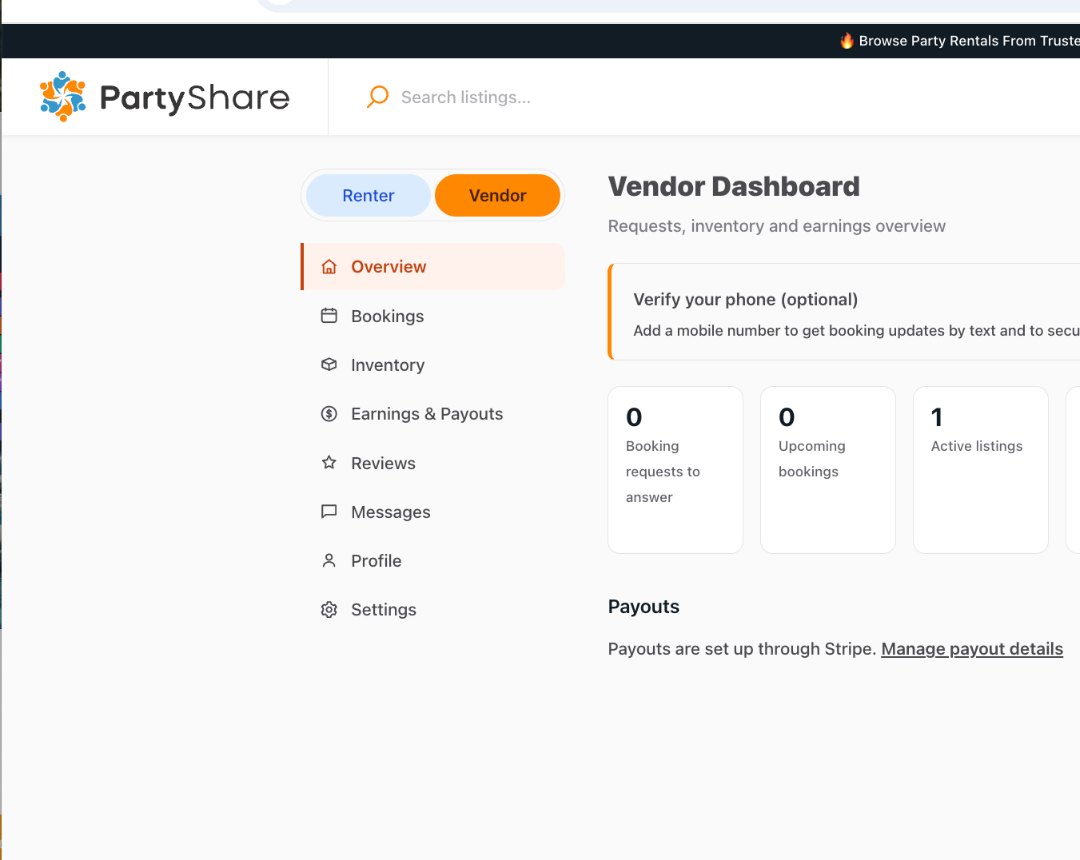
Open Messages from the dashboard
Use the PartyShare Messages area instead of spreading a booking conversation across unrelated channels.
Answer the actual question first
Lead with the direct answer, then add the detail the renter needs to decide or act.
Reference the order context
For a booking-specific conversation, confirm the relevant listing, dates, quantity, and pickup/delivery plan.
Avoid changing formal terms casually
If the renter asks about cancellation, damage, price, or a material condition, use the applicable listing/order terms and escalate when necessary.
Improve the listing when questions repeat
If multiple renters ask the same basic question, add the missing fact to the appropriate structured field or description.
Correct vs. avoid
Good approach
“Yes, this listing includes 25 chairs. For your selected dates, please confirm the quantity in the listing and choose the pickup/delivery option shown before requesting the booking.”
Avoid
“Sure, we can work something out” without clarifying which item, date, fee, or fulfillment condition is being discussed.
Completion checklist
- I respond in PartyShare Messages when possible.
- My answer identifies the relevant listing/order context.
- I answer the question directly.
- I do not create conflicting price or policy terms in chat.
- Repeated questions are used to improve the listing.
Common mistakes
- Replying without checking the listing or dates.
- Using vague promises.
- Moving important booking facts to a channel that leaves no marketplace context.
- Ignoring repeated questions that indicate weak listing content.
- Negotiating a policy exception without the proper process.
Frequently asked questions
Where do I find vendor messages?
Use Messages from the Vendor Dashboard.
Completion checklist
- I respond in PartyShare Messages when possible.
- My answer identifies the relevant listing/order context.
- I answer the question directly.
- I do not create conflicting price or policy terms in chat.
- Repeated questions are used to improve the listing.
- Open Messages from the dashboard
- Answer the actual question first
- Reference the order context
- Avoid changing formal terms casually
- Improve the listing when questions repeat
- Good approach
- Avoid